 Refill: Group Discounts
How it works
How Refill works
Set up a group discount in a few minutes. Your members just log in and shop.
Step 1
Create a group discount
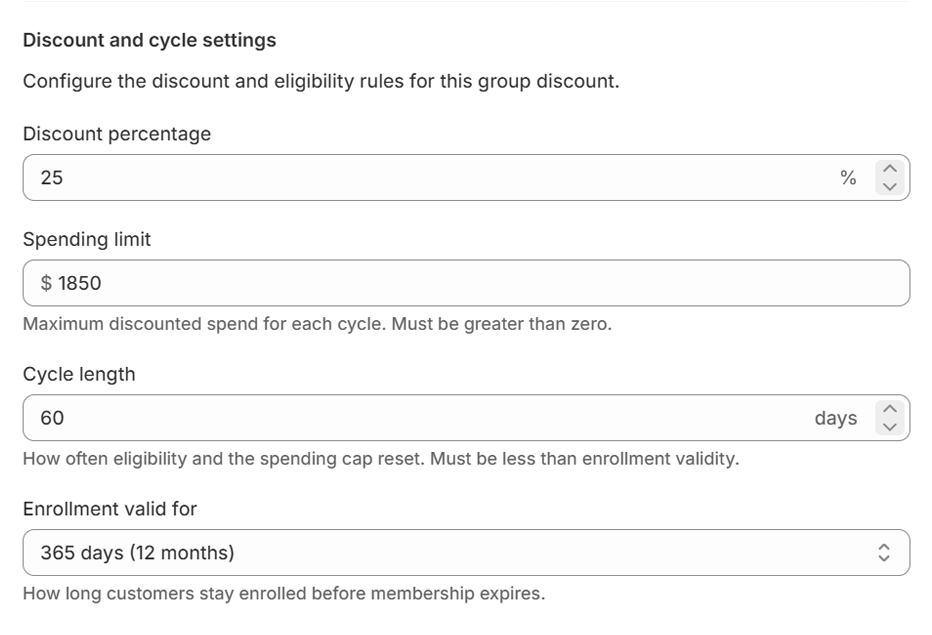
Pick a discount percentage, a spending cap (the most discounted spend per cycle) and a cycle length, like every 30 or 90 days.
Step 2
Enroll your members
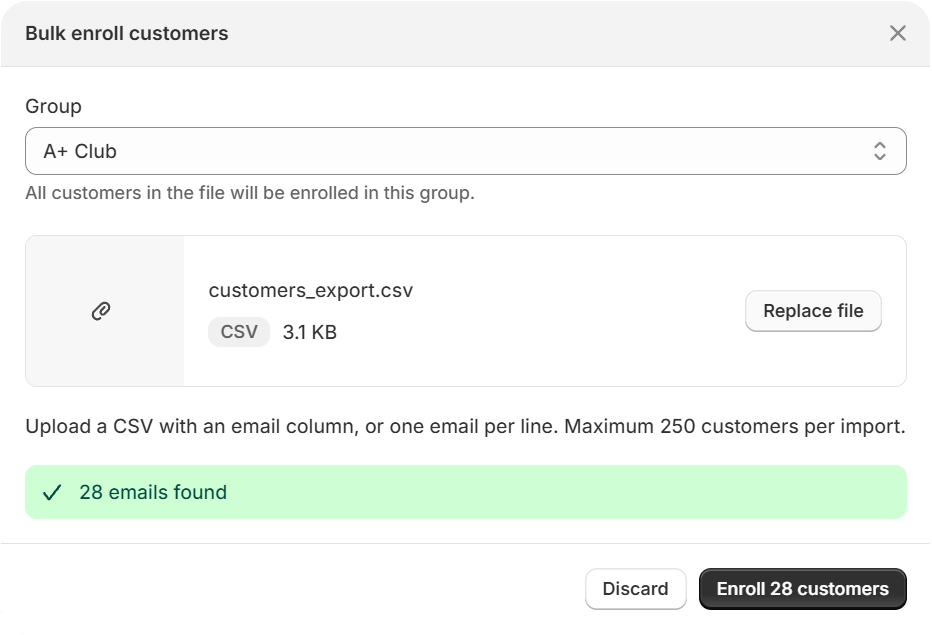
Add customers one at a time, or upload a CSV of emails on Growth and above. Customers not found in your store are skipped. Add an end date if access should stop at the end of a term, season or year.
Step 3
Members get the discount at checkout
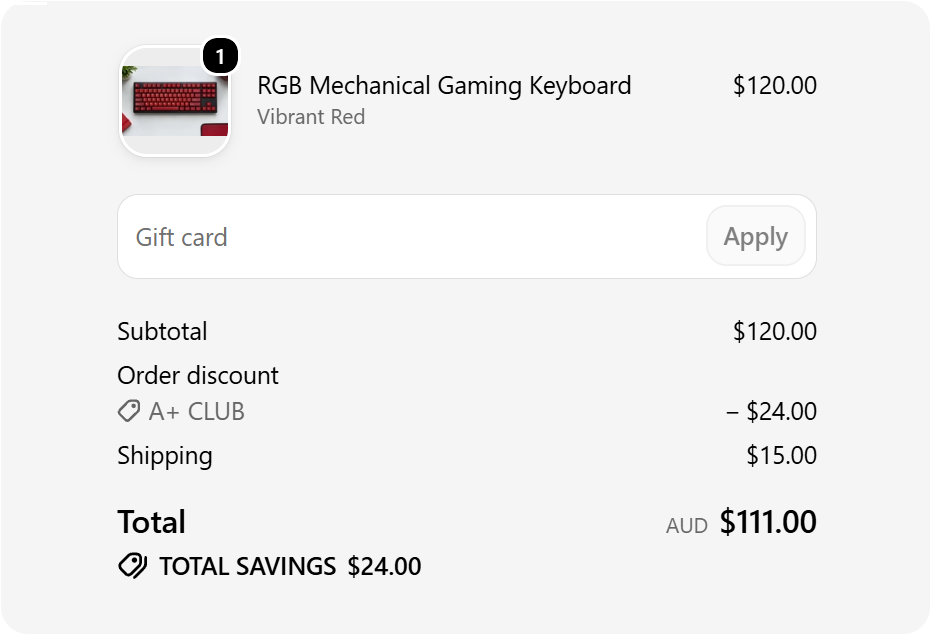
When an enrolled member is logged in, the discount applies automatically. There's no code to type, share or leak.
Step 4
Members see their balance
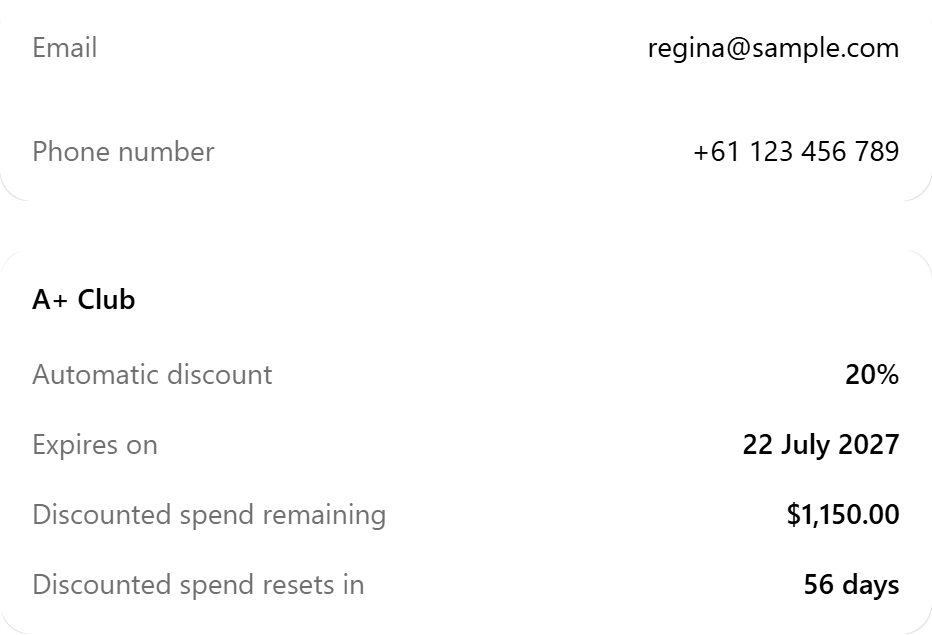
In their Shopify customer account, members can see their discount, remaining cap, refill date and end date.
What happens when…
- A cart goes over the remaining cap
- You choose in settings. With the usual setting, the discount applies up to the remaining cap and the rest is charged at full price. You can also choose to give no discount on that order.
- The cycle ends
- The cap refills automatically and the discount starts applying again.
- Enrollment ends
- The discount stops applying for that member. You can set a new end date anytime.
- A customer checks out as a guest
- No discount, even with an enrolled email. They need to log in to their account.
Give your groups a discount that refills, without surprise margin loss.
The spending cap sets the most each member can cost you per cycle. When they reach it, the discount pauses until the cap refills.